
AR learning and demonstrations
Let people inspect a digital product at full scale, explore labelled components and follow guided explanations in their own surroundings.
We develop AR applications that place useful digital information over a camera view of equipment or a space. Users can inspect a 3D product, locate a component or follow visual steps on a supported phone, tablet or headset.
Discuss your project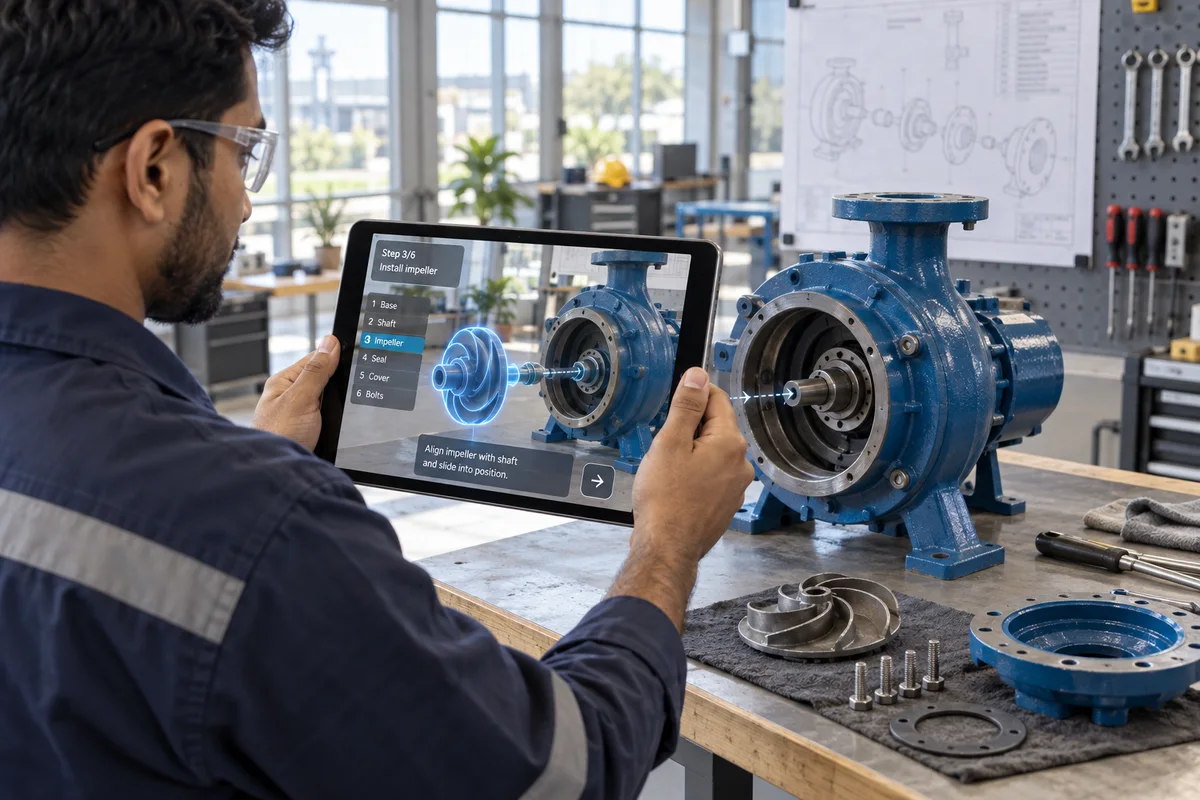
WHAT YOU CAN BUILD
Choose the object or workspace to recognise, then define what the user needs to see and do.
Let people inspect a digital product at full scale, explore labelled components and follow guided explanations in their own surroundings.
Place a digital product in a real room through a mobile camera. Help customers judge size and positioning before a purchase or installation discussion.
Attach labelled 3D views and guided interactions to equipment content so teams can inspect details that photographs cannot explain.
A device-specific application, optimised 3D assets, interaction design and an agreed deployment package. Camera tracking, offline use and integrations are scoped separately.
Target devices, reference models or drawings, the intended audience and the actions users should be able to perform.
Put numbered checkpoints over one machine model on a supported tablet. Test the same inspection with the existing job aid and the AR guide under normal lighting and working conditions.
Compare correct component identifications, missed inspection points, and time to finish the check. Record tracking failures separately so they do not get confused with user errors.
COMMON QUESTIONS
Practical answers for planning this service.
AR can place instructions or a 3D view alongside real equipment. It is useful when people need to inspect, understand or follow a task while staying aware of their surroundings.
That depends on the devices, camera tracking and environment. We confirm the target hardware and test the important interactions before committing to a rollout.
Share the task, approved procedure, equipment references and intended devices. Your subject experts review the content before it is used for training.